Let’s say you have a product that is flammable and/or toxic that you’re selling on your website. In most countries, these types of products need to be handled with certain safety measures during shipping to secure the safety of the transporter, product, and the environment. This would generally result in an extra fee on the shipping cost.
So, when I add a product that fall under this category to my basket, how can I present this fee to the customer and keep track of it in Sitecore OrderCloud?
I will present two options based on your specific case. Some options are better than others, depending on your user case.
Let’s take a look!
Option 1: Product representing the fee
In this option, we will create a new product called “Dangerous goods fee” and add a price schedule to that product. On this product, we will also create an XP field called “xp.DisabledControls” and set it to true. This is essential because the product would appear like a normal line item in the basket without some form of validation, making it possible to be placed elsewhere in the cart view. (P.S. don’t forget to use the logic for the XP field in your order confirmation email too. It could be confusing if the fee product looks like normal products in the email.)
We don’t want buyers to add/update/delete this lineItem themselves so we set the XP field for custom validation. Since this is generic, we can also use it for other products.
On all products that should have a “Dangerous goods fee” applied to them, those products will be given a XP field called “xp.DangerousGoods” set to true
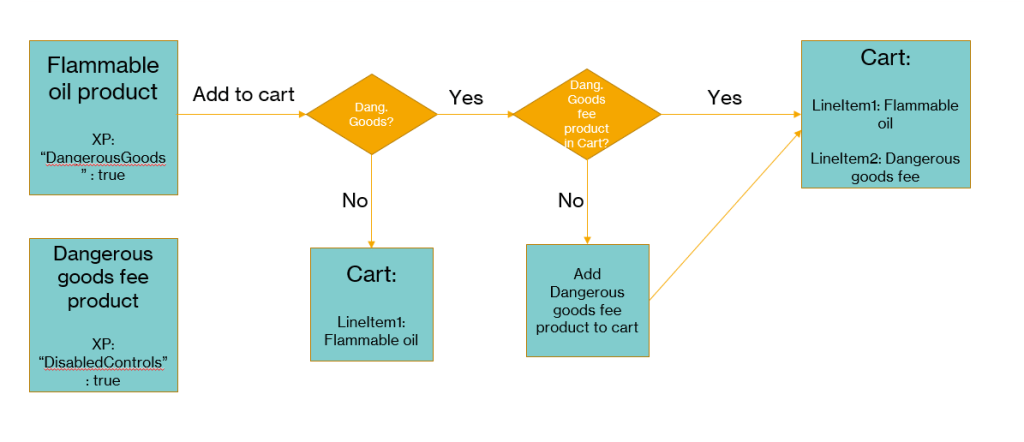
Following the above flowchart we can follow the “add to cart” flow.
On our buyer app we will check the product for the XP field “DangerousGoods“. If it’s not true we just add the item to cart as normal.
If it’s true we check the current cart if it already contains the product “Dangerous goods fee” or not.
If it does, just add the product we’re trying to add.
If it doesn’t contain the “Dangerous goods fee” product, we add that to the cart also.
This option will make it possible to only add 1 unique fee per cart. As you will see in the next option we can add a fee per unique item.
Guide
1. Create a new product or update an existing one that is the one that the buyer is adding to their cart, in this case the “Flammable oil”, that has the XP field “Dangerous Goods” : true
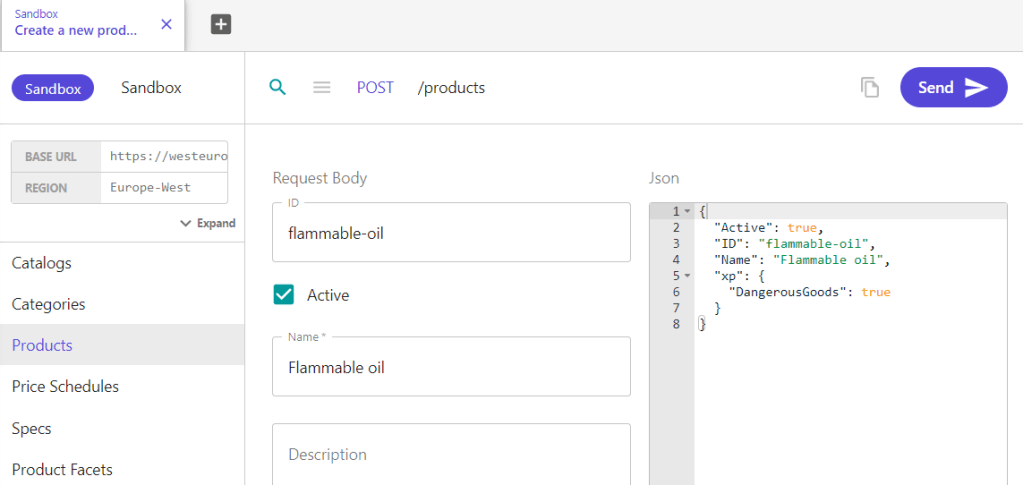
2. Create and/or assign a priceschedule to your product.
3. Create a new product to represent the dangerous goods fee. Add a XP field “DisabledControls” : true
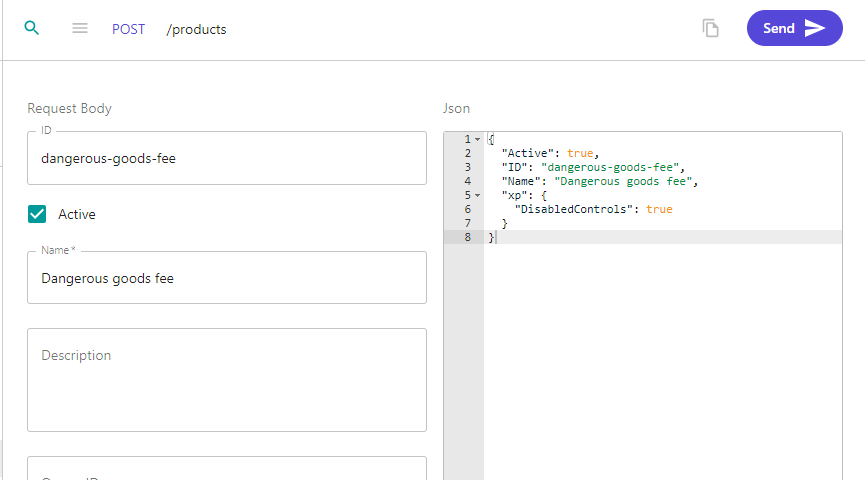
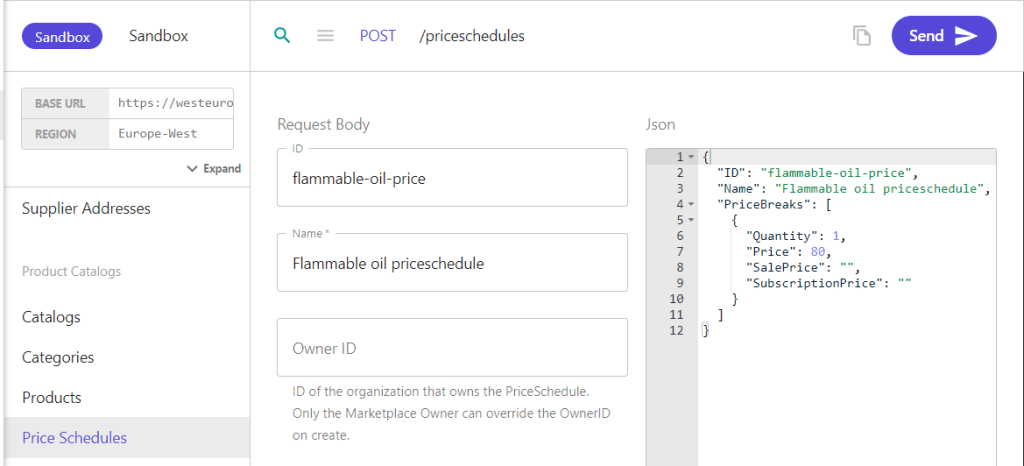
4. Create a priceschedule then assign it to your fee product.
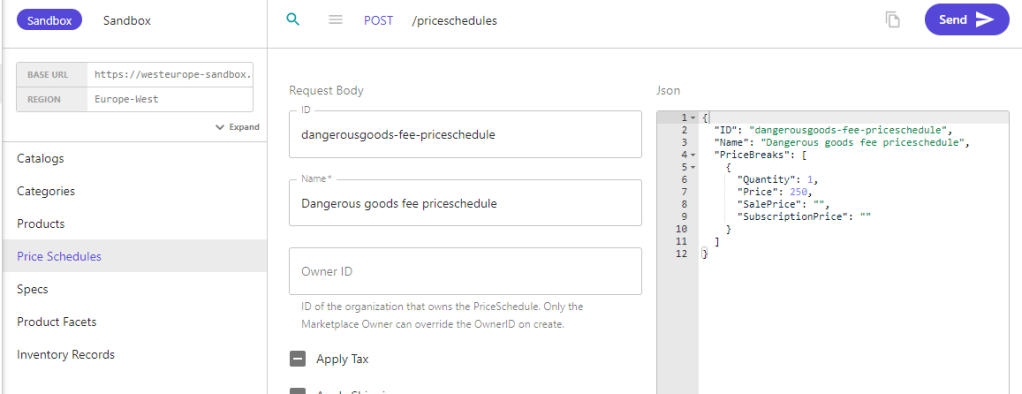
In your storefront, create custom code that when a buyer user adds, update or delete a lineitem from your cart, you must check if it has the XP field “Dangerous goods” = true.
You must have the product ID saved somewhere for your Dangerous goods fee-product. Maybe in your Sitecore CM for instance, or whatever you find fitting?
if(product.xp.dangerousgoods)
{
AddProductToCart(<FeeProductID>)
}
Option 2: Product spec fee
This option will add a fee per unique product in the cart. This will be a required spec option with a single option that always tags along with the product. On the setup of the spec we can set if it should multiply per quantity on the product and the price markup for that spec option.
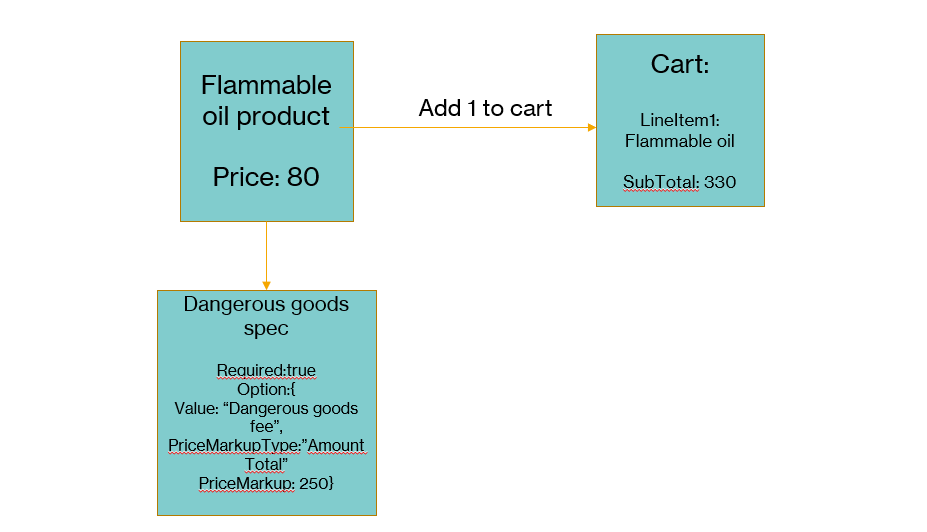
Hiding some rows but this is the response from OrderCloud when adding the product through POST /cart/lineitems.
We can see that the LineSubTotal is 330, which is the 80 from the product and 250 from the spec.
"Items": [
		{
			"ID": "hR0KmXz6QEuCx5BzWXi6TA",
			"ProductID": "flammable-oil",
			"Quantity": 1,
			"QuantityShipped": 0,
			"UnitPrice": 330,
			"PromotionDiscount": 0,
			"LineTotal": 330,
			"LineSubtotal": 330,
			"Product": {
				"ID": "flammable-oil",
				"Name": "Flammable oil",
				"xp": {
					"Price": 80,
					"PriceCurrency": "USD"
				}
			},
			"PriceScheduleID": "flammable-oil",
			"Specs": [
				{
					"SpecID": "dangerous-goods",
					"Name": "Dangerous goods",
					"OptionID": "PAvmmgCcr068ukPl1U1UrA",
					"Value": "Dangerous goods fee",
					"PriceMarkupType": "AmountTotal",
					"PriceMarkup": 250
				}
			],
			"xp": null
		}
	]
The thing with this option is that if you add another product that has the same spec that too will add the fee. If you’re happy with adding a fee to each unique lineItem in your cart, this is a great way of achieving that.
If you only want 1 fee per cart, you’re better off with option 1.
Guide
1. Create your product
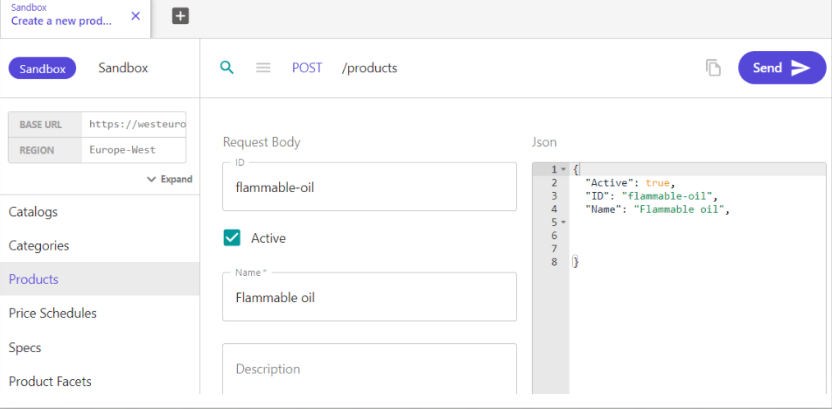
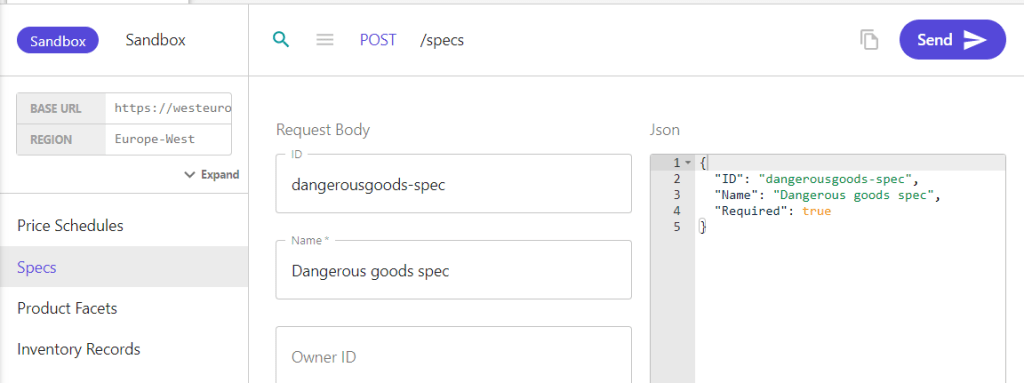
2. Create a new spec with fields like image below. It should be required.
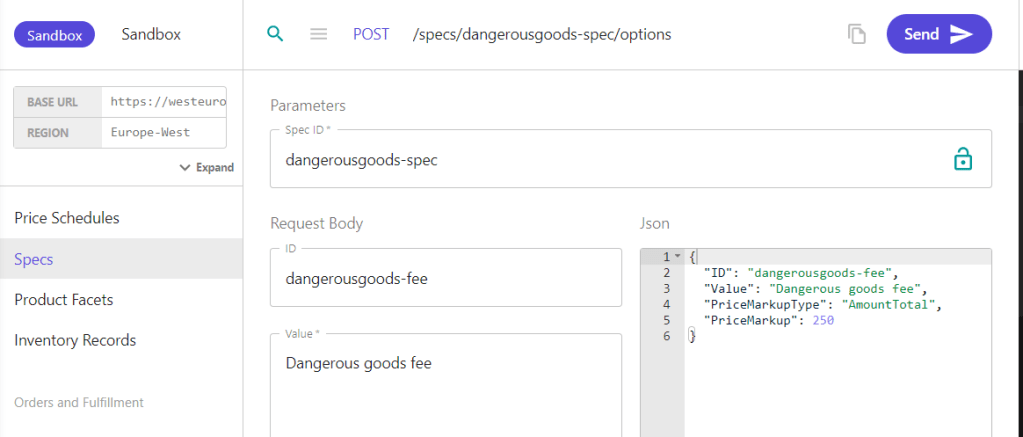
3. Create a spec option with the spec ID from previous step. PriceMarkupType is set to Amount Total, if you want it to add up per quantity then you need to set Amount Per Quantity:
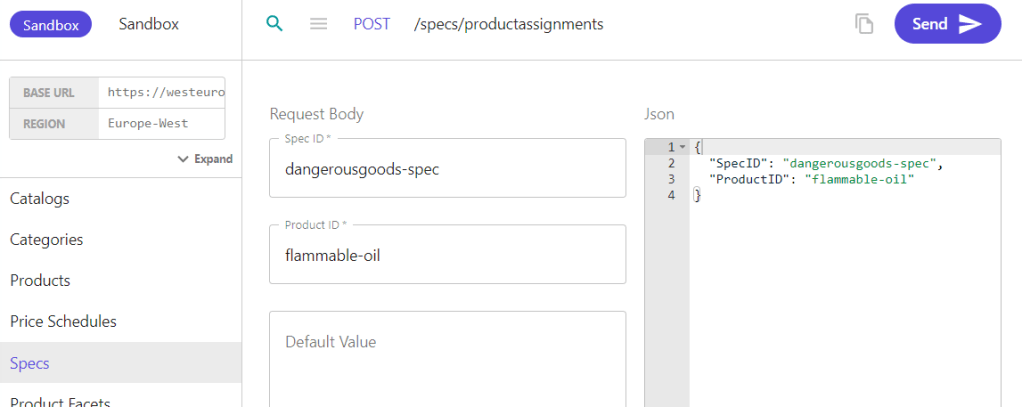
4. Assign the spec to the product from POST /specs/productassignments
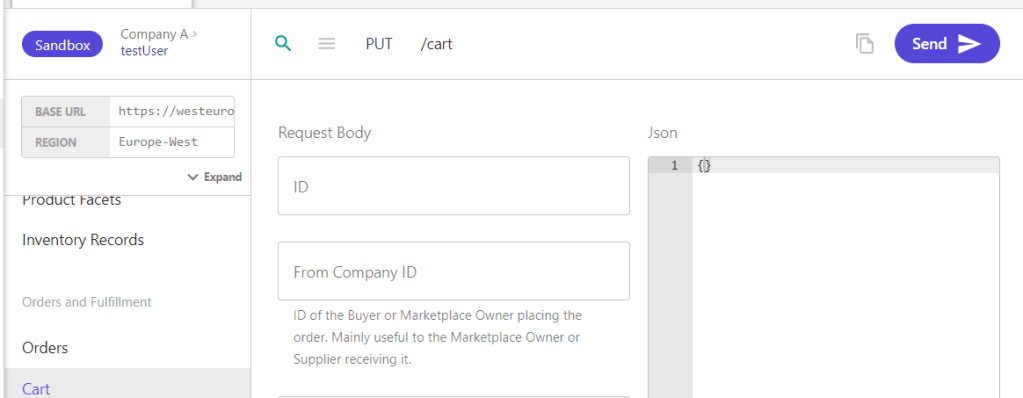
5. Create a cart with a buyer user context that has the right access to view the product.
6. Add the Flammable oil product to the cart with POST /cart/lineitems (Create a new cart line item)
Note the specID, optionID and value. Since we already setup the PriceMarkupType and PriceMarkup on the specoption we can leave them blank and let OrderCloud resolve them for us.
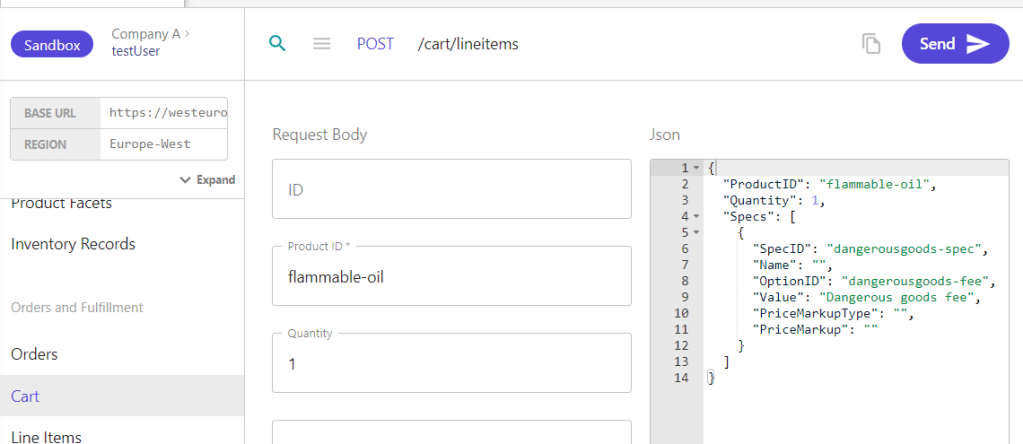
That’s it. Now if you get the cart you’ll see that the LineSubTotal will be 330 because we add the 80 + 250.
Thanks for your time, happy coding 🙂
 Sitecore Tackled