This is a continuation of Part 1 where I go over how to setup influxdb to monitor Solr. If you haven’t read it and are looking for installation guides for influx, check out part 1 here
In this PART 2 I want to setup some basic statistics for when visitors hit a 404 or a 500 page and showcase the influxDB C# client. We’ll see how we can present the data in InfluxDB at the end. To try and cut down this post a bit I’ll make some assumptions: That you can setup your own pipelines and processors to start the execution of your code at the correct place.
The influxDB C# client only supports .NET Core so you can setup a separate API service that your Sitecore application can use to Write and Get the data.
- I’ll show how we can write data to influxDB through code.
- We’ll look at getting data from influxDB through code.
1. Write data to InfluxDB
Here we can write some data to our influxDB bucket by code, keeping it simple:
using InfluxDB.Client;
using InfluxDB.Client.Api.Domain;
using InfluxDB.Client.Core;

...

const string token = "<TOKEN>";
const string bucket = "errorbucket";
const string org = "myOrg";

var client = InfluxDBClientFactory.Create("http://localhost:8086", token);

var 500error = new ErrorPage { Type = "500", Hit = 1, Time = DateTime.UtcNow };
var 404error = new ErrorPage { Type = "404", Hit = 1, Time = DateTime.UtcNow };

using (var writeApi = client.GetWriteApi())
{
   if(errorCause == 500)
      writeApi.WriteMeasurement(500error, WritePrecision.Ns, bucket, org);

   if(errorCause == 404)
      writeApi.WriteMeasurement(404error, WritePrecision.Ns, bucket, org);
}

[Measurement("error_page")]
public class ErrorPage
{
    [Column("type", IsTag = true)] public string Type { get; set; }
    [Column("hit")] public int? Hit { get; set; }
    [Column(IsTimestamp = true)] public DateTime Time { get; set; }
}
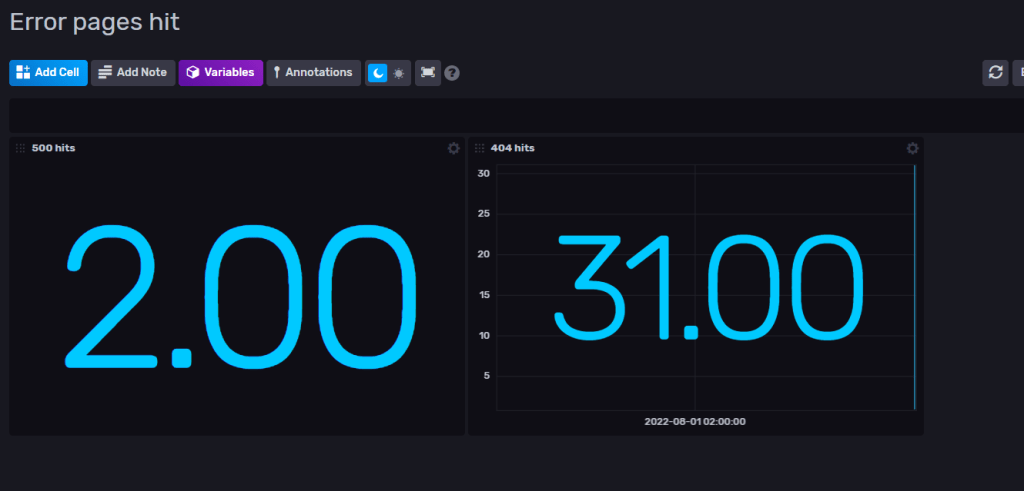
Now we got some data in InfluxDB that we can show in a dashboard ( see Part 1 on how to setup dashboard)
2. Get – Query data
A simple method to get the hit count for 404 pages. This will simply return 31 if we go by the data from above. Change the “type” to 500 to get the count for that one etc.
public async Task<int> Get404Hits()
{
    var fluxQuery = "from(bucket: \"errorbucket\") " +
                    "|> range(start: -1d)" +
                    "|> filter(fn: (r) => r[\"_measurement\"] == \"error_page\")" +
                    "|> filter(fn: (r) => r[\"_field\"] == \"hit\")" +
                    "|> filter(fn: (r) => r[\"type\"] == \"404\")" +
                    "|> cumulativeSum(columns: [\"_value\"])";

    var result = await client.GetQueryApi().QueryAsync<int>(fluxQuery, org);

    return result.Count;
}
Now you can write and query data in C# with InfluxDB.
You can for example create your own graph to present inside Sitecore or use the dashboard in InfluxDB.
Thanks for reading and hope you get some usage with InfluxDB. I’m still learning and I see a lot of fun stuff ahead with this tool.

