If you’re expecting a lot of results from a Solr query, it can be quite a perfomance hit.
If you then only really need 1 or 2 fields from the document, there is a neat way with LINQ to Sitecore to select only the fields you need.
var items = searchContext.GetQueryable<BaseSearchResultItem>().Where(i => i.TemplateId == <templateid>).Select(i => new { i.Heading, i.ItemId }).ToList();By using the .Select() you can specify which fields you want to get from the document.
This query will result in a Solr query like following:
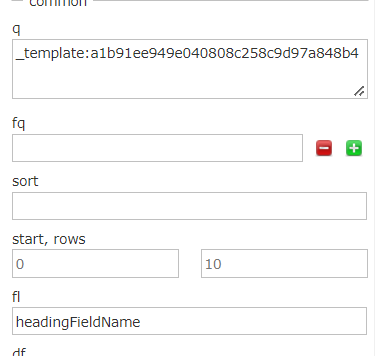
?q=(_template:(<templateId>))&start=0&rows=1000000 &fl=headingFieldName,_uniqueid,_datasource&fq=_indexname:(sitecore_master_index)
In Solr it’s called “Field List” or “fl” and in Solr UI you can test the effect before compiling your code like this, which I prefer to do.
Good luck with your Sitecore Search.

