I just want to briefly explain how the database agent work because I’ve noticed a lot of confusion about it and why it behaves like it does.
– “Why aren’t my tasks running!?”
– “Is there something wrong with my interval?”
These are just some of many questions that might pop up as a new developer or if it’s a new feature for you to work on with Sitecore.
What is Scheduled Tasks?
It’s first and foremost a tool in Sitecore where you can run code within an interval.
Sitecore has an internal Database agent that runs on an interval based on your configuration. Default is 10 minutes.
So every 10 minutes Sitecore goes over all it’s schedule task items and checks the interval to see if it’s due to run or not.
Note: After an app pool recycle all tasks will run the first time your database agent runs if it’s a valid schedule that has correct From-date, To-date and days to run. i.e. 20200101|20990101|127|01:00:00.
You can always trigger Schedule tasks manually. For instance you can use Sitecore Powershell Extension to do this.
But for some reason, maybe extending the scheduler with custom code, you want to see how it behaves when run automatically through the database agent.
Master Database Agent
Master_Database_Agent is defined in the Sitecore.Processing.config. The interval can be patched to change the interval if you want in a patchconfig.
<configuration xmlns:patch="http://www.sitecore.net/xmlconfig/">
  <sitecore>
      <scheduling>
          <agent name="Master_Database_Agent" type="Sitecore.Tasks.DatabaseAgent">
              <patch:attribute name="interval">00:05:00</patch:attribute>
          </agent>
      </scheduling>
  </sitecore>
</configuration>
Tasks interval
Did you know that “Schedule” on a schedule item also is a link to an old Sitecore doc page explaining how to setup tasks? Link here
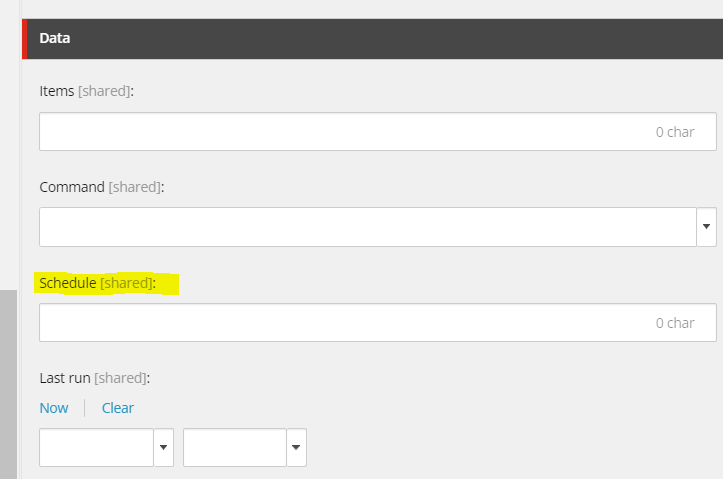
This clearly explains how to setup intervals for running on specific days, From-dates, To-dates etc.
Always a helpful tool when working with schedule tasks.

