Sitecore OrderCloud is back with another great feature that has been highly anticipated – Product Bundles. It was recently released with API version 1.0.308. Aiming to provide ecommerce businesses with more flexibility, Product Bundles cater to a wide range of use cases to enhance customer experience.
Use case
A few examples on why it’s useful.
- Suppose you’re buying a GoPro camera. There are probably hundreds of accessories for GoPro alone, and with Product Bundles you can setup and sell for instance “GoPro starter kit” or “GoPro battery kit”.
- If you’re selling event tickets, you can also create a bundle like the “ticket + dinner package”.
The possibilities are only restricted by your imagination. This feature is an excellent opportunity for cross-selling. If customers typically purchase Product A alongside Product B, why not combine them into a bundle and offer a modest discount? It’s a common commerce feature, and it’s exciting to see it integrated into OrderCloud.
Bundles aren’t intended to replace individual products. Instead you create a bundle and assign specific products with it. New endpoints have been introduced regarding bundles, price schedules, catalogs etc. Let’s have look.
New endpoints
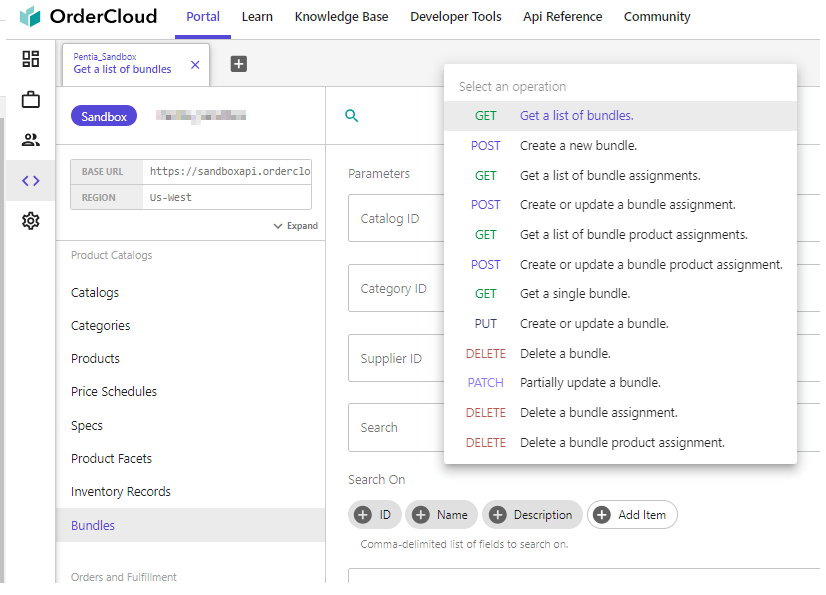
There are new /bundles endpoints under “Product Catalogs“, if you’re using the OrderCloud Portal. For a deeper overview, you can read up on all the endpoints at OrderClouds API reference for bundles.
Bundles follow the same visibility rules as products. They need to be active, present in a catalog, etc. Additionally, all products within a bundle must be visible to the user.
If you encounter any visibility-related challenges, OrderCloud has more information available at their site: https://ordercloud.io/knowledge-base/product-visibility#visibility-rules-checklist
Creating and assigning bundles
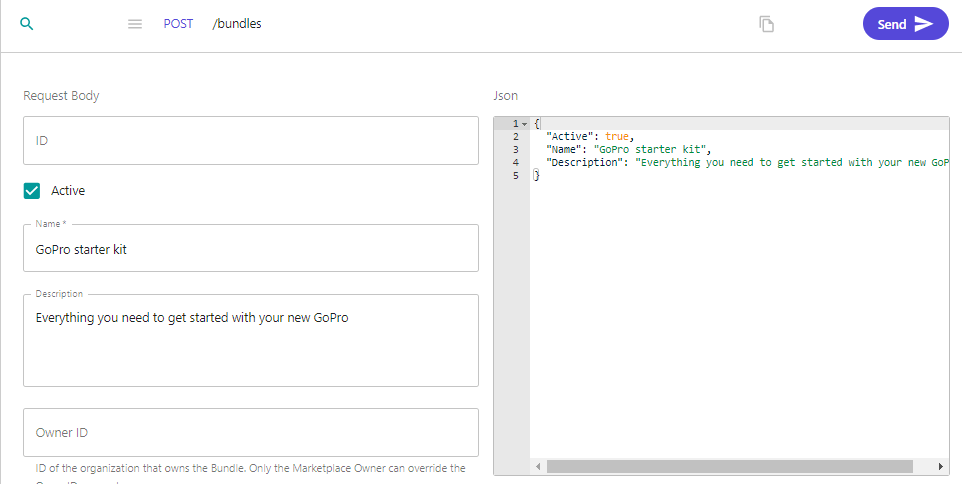
1. Use either the OrderCloud portal or make a POST /bundles with the below information.
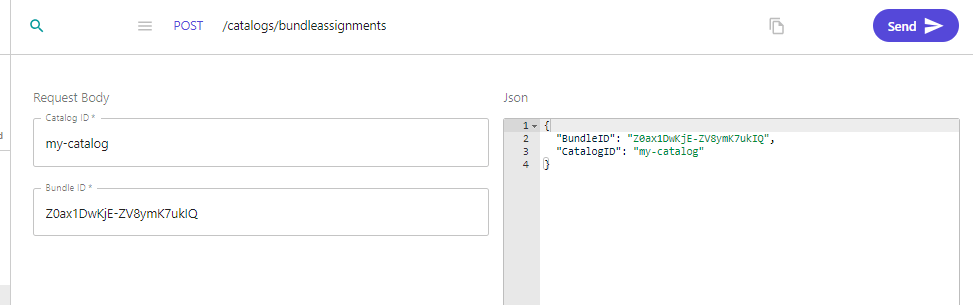
2. Create a catalog bundle assignment with POST /catalogs/bundleassignment or in the portal as below.
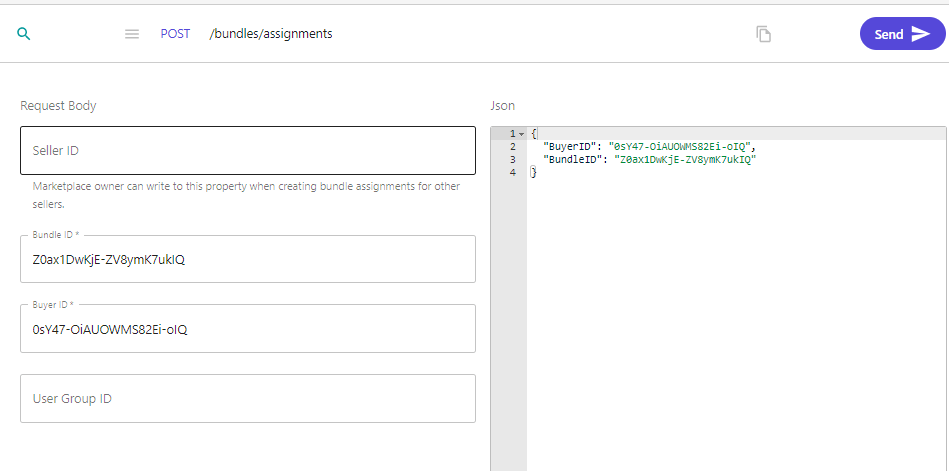
3. Create a bundle assignment for a buyer if you wish. POST /bundles/assignments
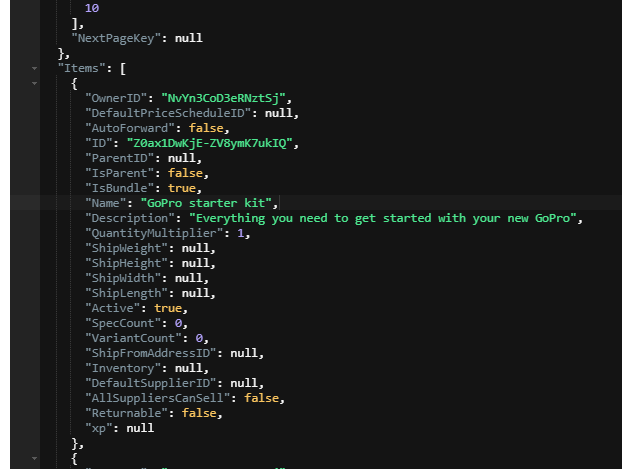
4. Now we can see our bundle is added to our list of products in our catalog if we make a request to /products?catalogID=my-catalog
Note the new property IsBundle. This makes it easy for you to customize your commerce experience by identifying your bundles.
Assign products to a bundle
1. Use POST /bundles/productassignments. to assign products to a bundle. I’ve created 3 products for my “GoPro starter kit”, and now i’m assigning them using this endpoint.
- GoPro
- GoPro sleeve
- GoPro tripod
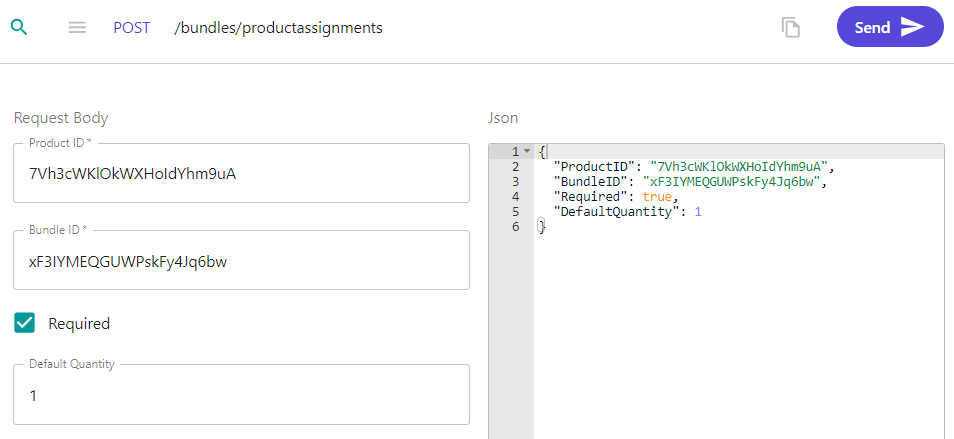
If you want to automatically add these items to your cart when adding the bundle to your cart you need to set the Required field to true and set a Default Quantity.
You can also pass them in to the cart as normal lineitems. In this case I prefer that this bundle add the product automatically and with a specific quantity so I set those fields.
Price schedules
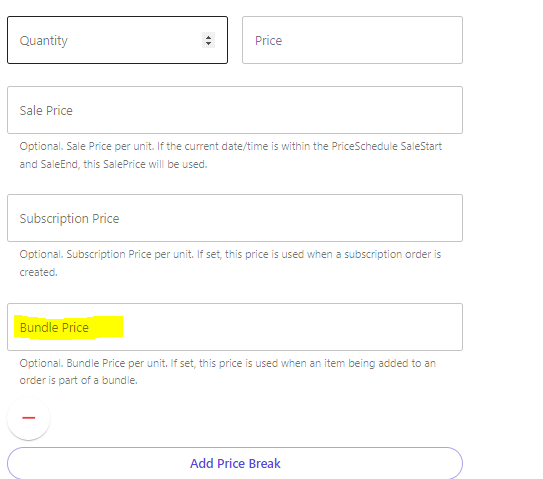
When creating a new price schedule, a “Bundle Price” option is now available. Once this price schedule is assigned to a product within a bundle and the bundle is added to the cart, the product will reflect the price set in that field.
Results
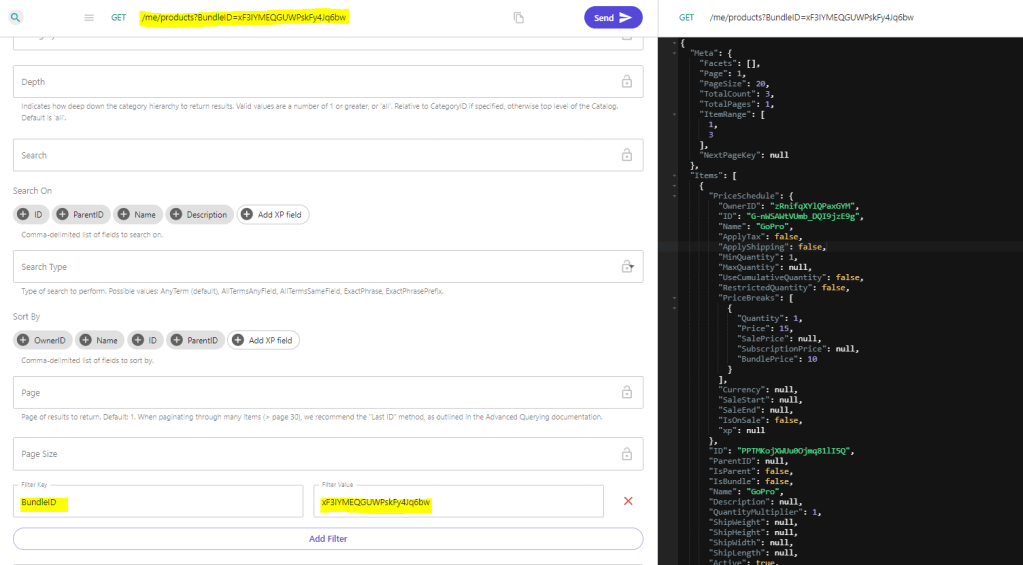
Regular product searches remain unchanged. However, you can now utilize the new filter BundleID={id} to exclusively retrieve products linked to a specific bundle, given correct catalog and price schedule assignments.
GET /me/products?BundleID=xF3IYMEQGUWPskFy4Jq6bw
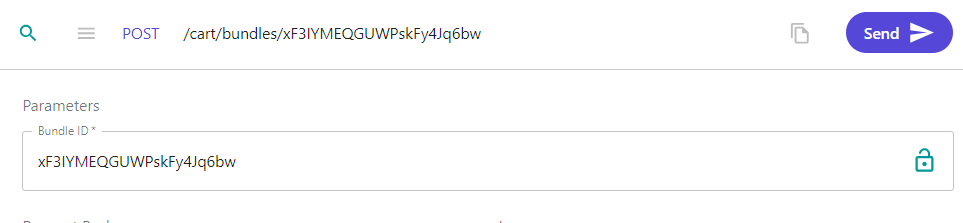
To add the bundle to your cart, use POST /cart/bundles/{bundleID}
Either execute a GET /cart or GET /cart/lineitems to access cart information. When fetching the line items we can see there are 4 line items: 1 is our bundle, and 3 are the products assigned to that bundle, each priced at their Bundle Price.
Notes
New Roles have been established, including BundleReader, BundleAdmin, and BundleAssignmentAdmin.
As mentioned, this was a highly wished for feature. The OrderCloud team is working on expanding the possibilites with Product Bundles. Coming soon are integrations for custom validation and price overrides.
The just released new endpoints that supports adding bundles to subscriptions, or recurring bundles!
A noteworthy mention: Ensure the bundle xp schemas align with product xp schemas to avoid indexing issues.
With Product Bundles, Sitecore OrderCloud continues its journey in providing robust features, empowering businesses to tailor unique ecommerce solutions that resonate with their customers. Happy bundling! 🛍️🎉
Read more on OrderCloud website:
https://ordercloud.io/knowledge-base/product-bundles

