Link to extension:
https://chromewebstore.google.com/detail/sitecoreai-environment-in/gddjdkcoaobibocfcbkjjgklapdcaadp
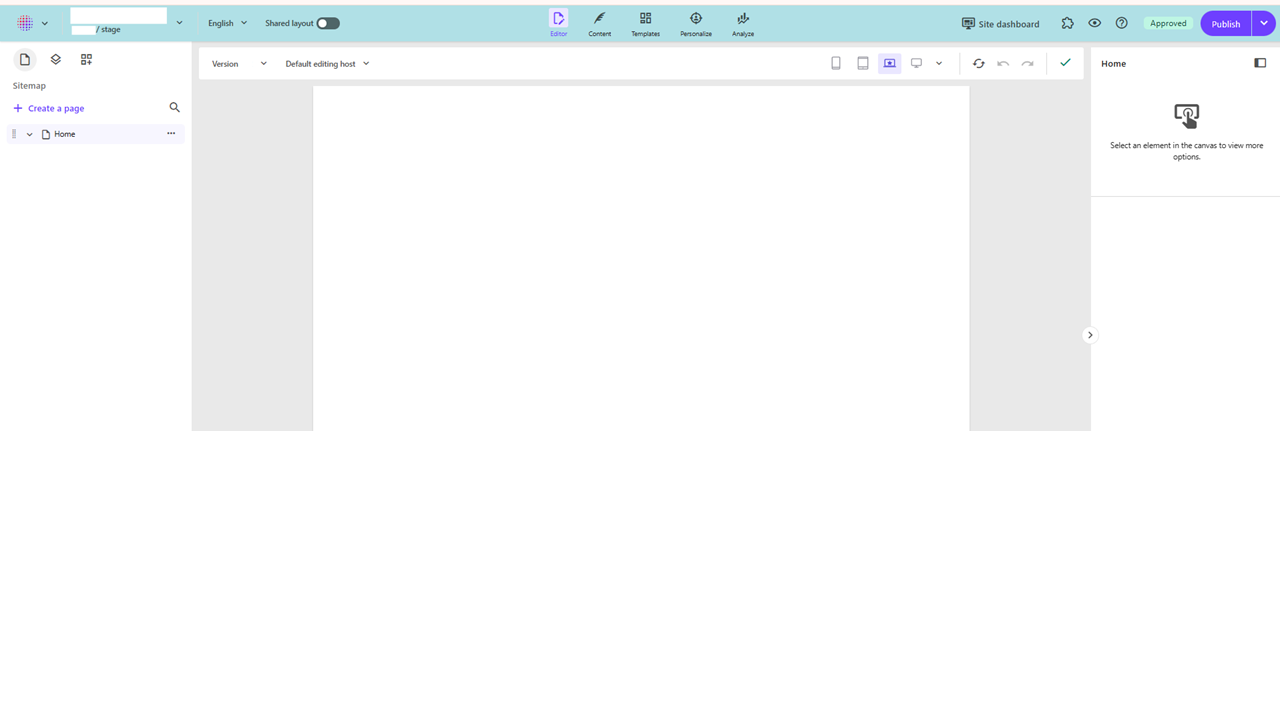
Have you been in SitecoreAI page builder and ever felt like you forgot which environment you were working in? Stage or production for instance.
You don’t want to find yourself working in the wrong environment!
Usually you might keep yourself to one environment so it’s not that much of an issue.
But as a developer i’m often in both.
In page builder everything looks exactly the same except a small label where it says “stage” or “production”. Or you can see it within the url. But I wouldn’t say that it stands out very much, especially not for editors.
So I thought, how can I make it stand out more, which environment I’m in?
So for anyone using Chrome I made a Chrome extension thats been published on the Chromewebstore.
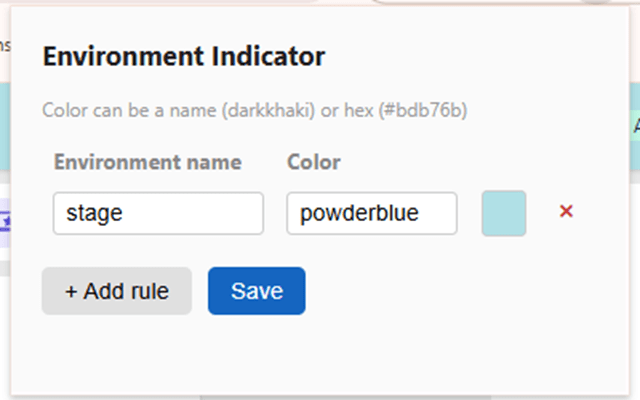
It uses a rule based approach where you can associate by text which environments you want with a color. If it finds a match, it will append the background color on page load.
You can define multiple rules with any environment and colors.
You can find it here:
https://chromewebstore.google.com/detail/sitecoreai-environment-in/gddjdkcoaobibocfcbkjjgklapdcaadp

